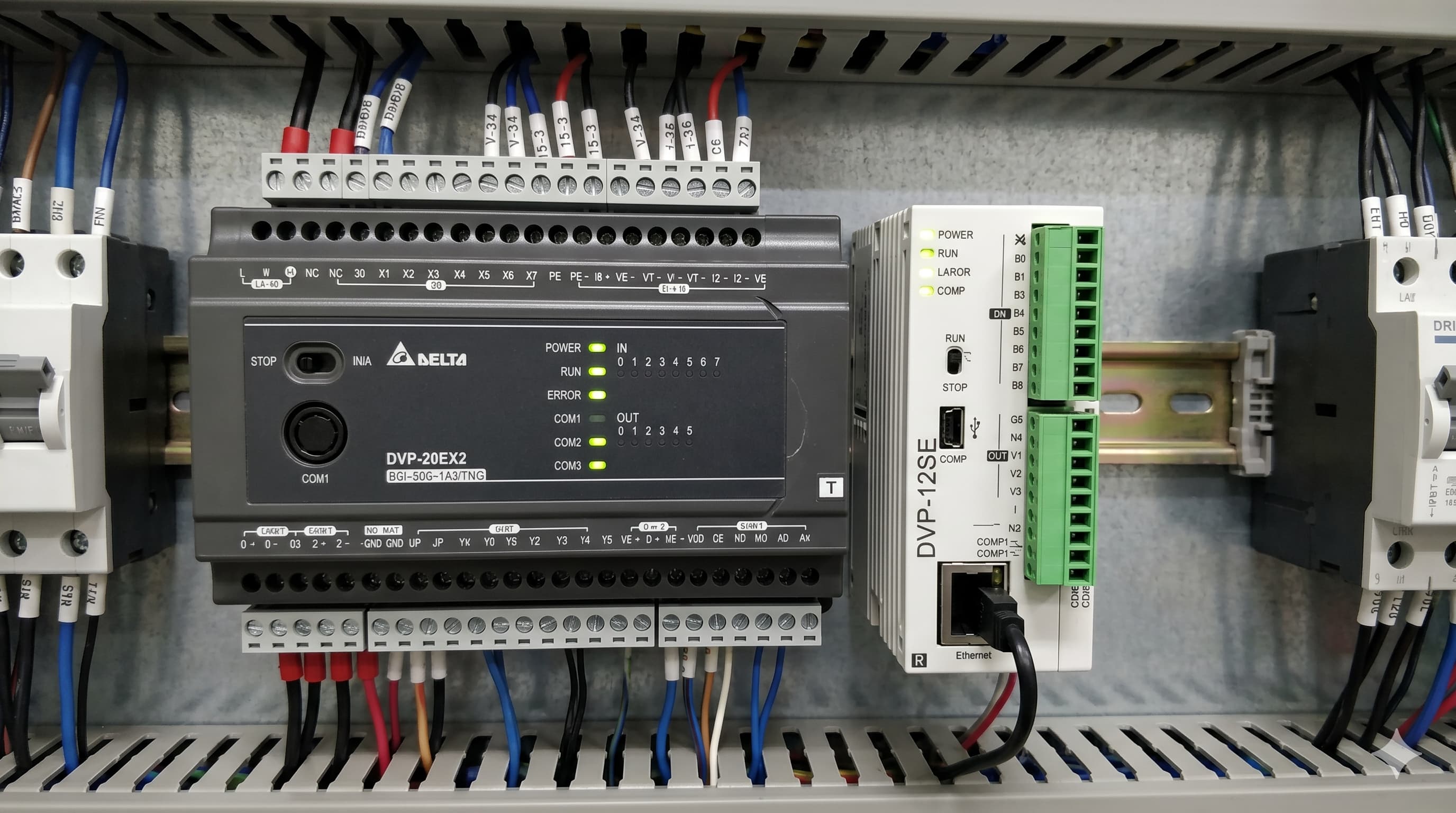
The Delta PLC takes Delta's compact PLC line into the networked era — built-in 10/100 Mbps Ethernet, Modbus TCP server/client, and dual RS-485 ports make it ideal for connected machines.
1. PLC at a Glance
- 8 DI + 4 DO (transistor outputs)
- Built-in Ethernet (RJ-45)
- 2× RS-485 ports (independent baud rates)
- Supports Modbus TCP (server & client) and Modbus RTU
2. Configuring Ethernet
In PLC software, set the IP address, subnet mask, and gateway in HW Config. Default IP is usually 192.168.1.5 — change it to match your factory network. Save and download to PLC.
3. Modbus TCP Server (Slave) Mode
By default, the PLC acts as a Modbus TCP server. Any SCADA, HMI, or Python script can read/write the D registers and M coils via TCP port 502.
💡 Quick TestFrom a laptop on the same subnet, use modpoll or QModMaster to read register D0 — confirms the connection before integrating SCADA.4. Modbus TCP Client (Master) Mode
The PLC can also poll remote devices. Use the MODRW instruction in PLC software to issue Read Holding Registers (FC03) or Write Single Register (FC06) to remote slaves.
5. Real-World Use Case
One PLC controls a small filling line, while a second PLC handles capping. Both publish run-status registers via Modbus TCP. A single SCADA software station polls both PLCs — no hardware gateway needed.